








Generator
Storia
Generatore di piani AI
Strumento di cambiamento
Modello
Base
Interruttore
Camere
cameraDaLetto
-
2
+
bagno
-
1
+
Cucina
aperto
chiuso
Area lorda
Unità Metrico
 imperiale
Metrico imperialeArea
< 50㎡
50-80㎡
80-100㎡
100-120㎡
120-150㎡
> 150㎡
Extra
guardaroba walk-in
laundry room
stanza di stoccaggio
stanza dei servizi
ufficio a casa
garage
dispensa
sala living e pranzo combinata
balcone

Unlock Your Dream Home: Effortless Design and Floor Plan Layout with AI
Revolutionize your home design process with Ideal House's AI Floor Plan Generator. Quickly create precise 2D floor plans, experiment with room arrangements, and visualize your ideal living space in minutes. Our intuitive tool simplifies complex architectural plans, making it easy to achieve the perfect design and floor plan layout for any project, from custom floor plans to apartment layouts. Start designing smarter, not harder.
Generate My Floor Plan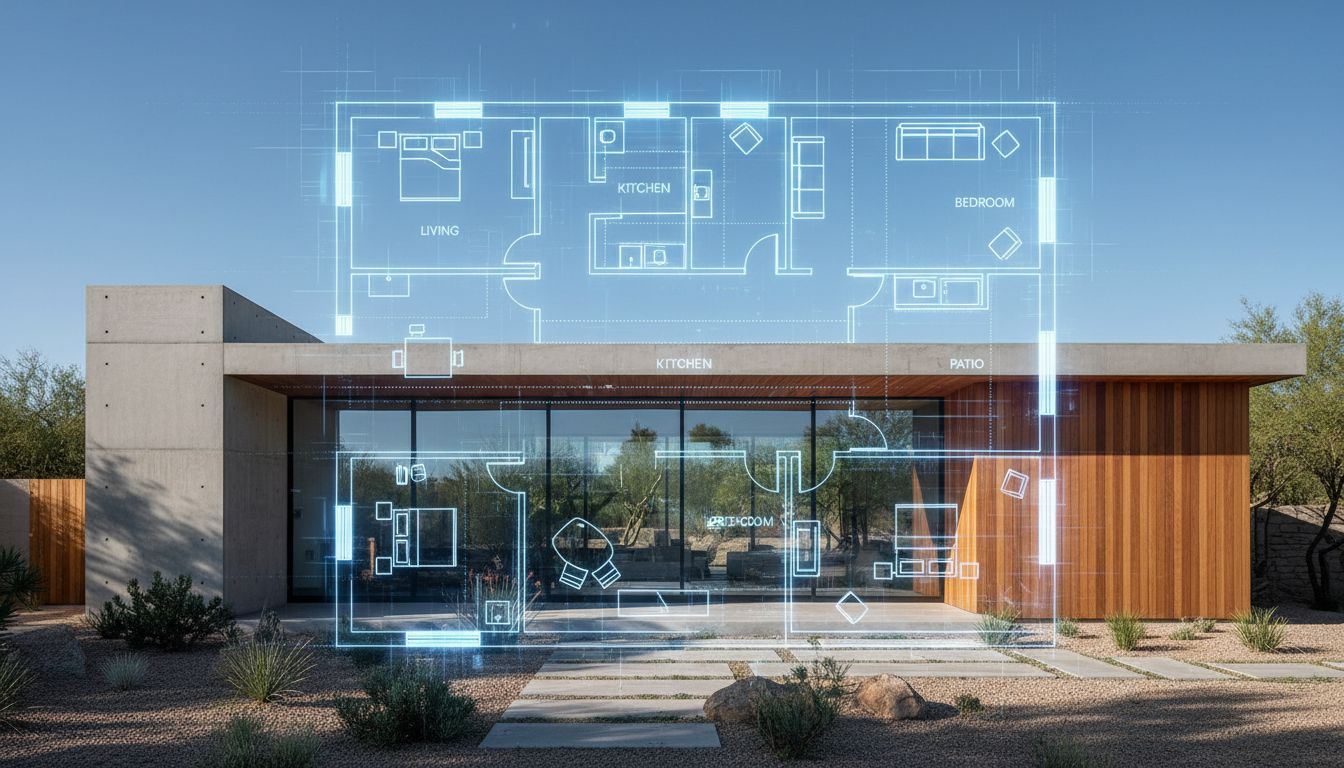


Transform Your Vision into a Perfect Design and Floor Plan Layout

Instant 2D Floor Plan Generation
Say goodbye to manual drafting. Our AI Floor Plan Generator creates accurate 2D floor plans in seconds. Simply input your desired rooms, kitchen style, and gross area, and watch as our AI delivers a professional-grade design and floor plan layout. This speed is invaluable for quick iteration and exploring multiple home design software options.

Parametric Design for Custom Floor Plans
Tailor every aspect of your residential design. With our intuitive controls, you can specify bedroom and bathroom counts, choose between open or closed kitchen layouts, and define the overall gross area. Add custom extras like walk-in closets or home offices to refine your interior layout and create truly personalized custom floor plans that reflect your unique needs.

Streamlined Property Visualization for Real Estate
For real estate professionals, presenting clear 2D house plans is crucial. Our AI floor plan maker provides presentation-ready blueprint creator visuals that enhance property visualization for listings. Buyers can instantly grasp the flow and potential of a space, making your listings stand out with compelling design and floor plan layout examples.

Efficient Spatial Planning for Any Project
Whether you're planning a home renovation or sketching an apartment layout, efficient spatial planning is key. Our design tools allow you to experiment with room arrangement and optimize every square foot. Quickly compare different configurations, ensuring your design and floor plan layout maximizes functionality and aesthetics without needing complex architectural plans.

Who Benefits from Our AI Floor Plan Generator?

Homeowners & DIY Enthusiasts looking to visualize home renovation ideas and room arrangements.

Interior Designers & Decorators needing quick concept generation for client presentations and interior layout solutions.

Real Estate Agents & Brokers seeking professional 2D house plans to showcase listings and improve property visualization.

Contractors & Consultants requiring clear blueprint creator visuals for project alignment and efficient spatial planning.

Craft Your Ideal Design and Floor Plan Layout in 6 Simple Steps
1
**Set Rooms:** Define your needs by selecting the number of bedrooms (0-4) and bathrooms (1-3) for your dream design and floor plan layout.
2
**Choose Kitchen Style:** Decide if you prefer an open or closed kitchen, a key element in your overall interior layout.
3
**Pick Gross Area:** Select a gross area range that aligns with your desired property size to guide the AI's blueprint creator.
4
**Add Extras:** Incorporate specific features like a walk-in closet, home office, or balcony to customize your floor plan maker output.
5
**Generate & Review:** Click 'Generate' to instantly see your 2D floor plan. Review and refine by adjusting parameters for the perfect design and floor plan layout.
6
**Download & Share:** Export your finalized custom floor plans as an image or PDF to share with clients, family, or for listings.
Frequently Asked Questions About Our AI Floor Plan Generator
How does the AI turn my selections into a design and floor plan layout?
Our AI floor plan generator interprets your inputs (beds, baths, kitchen type, gross area, extras) and applies smart adjacency rules to draft a clean 2D floor plan. Each generation provides a fresh concept, allowing you to iterate effortlessly for an optimal design and floor plan layout.
What are the available ranges and default settings?
You can select 0-4 bedrooms (default 2), 1-3 bathrooms (default 1), and open or closed kitchen (default open). Gross area is chosen from a band, and extras are multi-selectable, guiding your custom floor plans.
What influence does 'Gross Area' have on the floor plan maker?
The gross area band guides the overall scale and proportions, ensuring that rooms and corridors within your blueprint creator output feel appropriate for the chosen footprint, contributing to realistic architectural plans.
What's the difference between open and closed kitchen layouts?
An open kitchen promotes continuous sightlines and flow, often integrating with living-dining areas. A closed kitchen defines a distinct cooking zone, offering separation. This choice significantly impacts your overall interior layout and spatial planning.
How do 'Extras' impact my design and floor plan layout?
Extras instruct the AI floor plan generator to prioritize specific spaces. For example, a walk-in closet might be placed near the master bedroom, or a pantry adjacent to the kitchen, optimizing your room arrangement.
Can I compare multiple versions of my 2D house plans?
Absolutely! Every generated design and floor plan layout is saved in your 'Generation History.' You can filter, view in grid or list format, and compare different versions side-by-side to pick the perfect blueprint creator outcome.
How fast is the generation process, and how are credits used?
Most floor plan generations complete in mere seconds. Each click of the 'Generate' button consumes the credits displayed, and all generated 2D floor plans are stored for your convenience and future reference.
Is the AI Floor Plan Generator compatible with tablets?
Yes, our AI floor plan maker is fully browser-based and optimized for both desktop and iPad use, providing a seamless experience for your home design software needs. Your settings persist until you choose to modify and regenerate your design.
Enhance Your Design Journey with Related Ideal House Tools

HouseGPT
Ask our AI for advice on sourcing materials and finding contractors for your historic renovation.
Smart Replacer
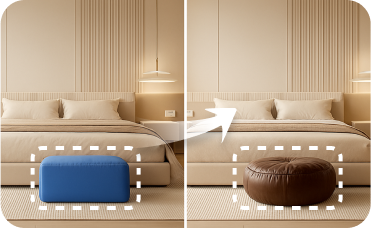
Go beyond furniture—change wall art, rugs, and abstract home accessories with pinpoint precision.

Magic Editor
Fine-tune your design by changing a single object, like swapping a chandelier or altering a rug.
Ready to Design Your Space?
Create professional 2D floor plans with Ideal House's AI Floor Plan Generator. Fast, intuitive, and precise – your perfect design and floor plan layout is just a click away.
Generate My Floor Plan
💰 Ottieni il 10% di commissione come partner affiliato di Ideal House.
Unisciti a noi